Cloud Based Access Control Software for Residential Estates
Home Owners Associations and Complexes Hub (HOACHUB)
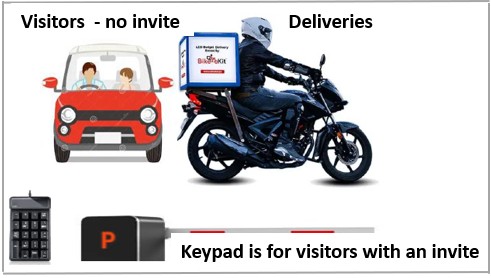
Visitors with an access code
Joining this queue - The assumption is that invited visitors and contractors only join this queue because they are unfamiliar with the setup.
Access is still easy - Part of being invited by a resident is the software generated code that is smsed to the visitor. A numeric keypad is available for this purpose. The visitor or contractor only has to enter the code plus # which will open the boom, if any, as well as the gate.
Visitors without an access code
Join this queue - No scanning.
Security - Request visit and visitor detail. Security access the unit, resident's details via a touch screen. The residents VoiP call codes, as maintained by the residents, are displayed. The resident is called. If permission to enter is granted, a touchscreen button triggers the boom and or gate to open. This also creates a visitors database record against the unit.
Contractors - The same process is followed for contractors arriving without a visitors code.
Exit - There is an open database visitors record against the unit. By making use of the same touch screen, a list of open records are displayed. An action button next to the record, opens the exit gate and update the open database record as closed.
Deliveries
Join this queue - No scanning.
Security - Request delivery and unit detail. Security access the unit, resident's details via a touch screen. The residents VoiP call codes, as maintained by the residents, are displayed. The resident is called. If permission to enter is granted, a touchscreen button triggers the boom and or gate to open. This also creates a delivery database record against the unit.
Exit - There is an open database delivery record against the unit. By making use of the same touch screen, a list of open records are displayed. An action button next to the record, opens the exit gate and update the open database record as closed.