Cloud Based Access Control Software for Residential Estates
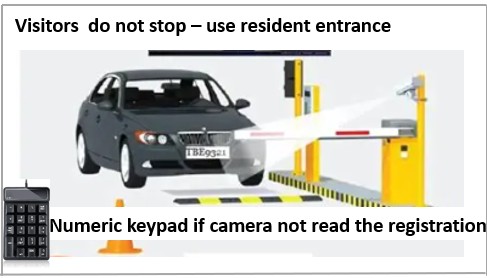
Numberplate recognition by ANPR camera for both visitors and contractors
Function is used to invite both visitors and contractors
Complete invites online, realtime
Vehicle registration number - Entering the correct registration number saves time, because the gate opens automatically.
Visitors cellular number - A random generated code is send via sms to the visitor / contractor in case the ANPR camera does not read the number plate correctly. The number plate might be dirty or faded.
Visitors email address - An email is send to this address explaining the process.
Invite yourself - There are circumstances where a resident is waiting for a tag to be issued. Inviting yourself, eliminates this type of frustration.
You manage your own invite list
Cancel button - This cancels an invite immediately by deleting the invite on the gate.
New invite button - This allowes the creation of a new invite to be added to your list.
Re_use button - Invites can be re_activated at any time.
Resend button - This pertains to active invites. It is used where the potential visitor has a need for the invite to be resend.
Delete button - The invite is permanently removed from a resident's, visitors invitation list.
Invites do not disappear - Unless deleted permanently, invites can be re_used.
HOACHUB Sofware
Validation - Validation is done on input to avoid things for example duplicate vehicle registration numbers. The same registration number can only be used once, even if it is possible for a visitor to visit more than one unit.
Parameters - The number of visits for example 5 as well as the duration to be valid for example 30 days, are parameter controlled.
Background - Updating of visitor records is controlled by client requirements for example once a day.